CONVERTIK — Smart Currency Converter: Calculator directly in the currency input field and instant conversion of selected amounts on the page.
CONVERTIK is a smart and compact extension for Chrome and Firefox that allows you to quickly and conveniently convert currencies. Concise interface, ability to set any number of currencies, built-in calculator and popup with conversion right when selecting text on the page.
🧩 Easy Installation
Available for Chrome and Firefox — installation takes less than a minute.
🎛️ Flexible Settings
Configure currency list, rounding format, precision and display.
💡 Instant Conversion
Select a price — and immediately get the result in the currencies you need in a popup window.
Two Ways to Use CONVERTIK
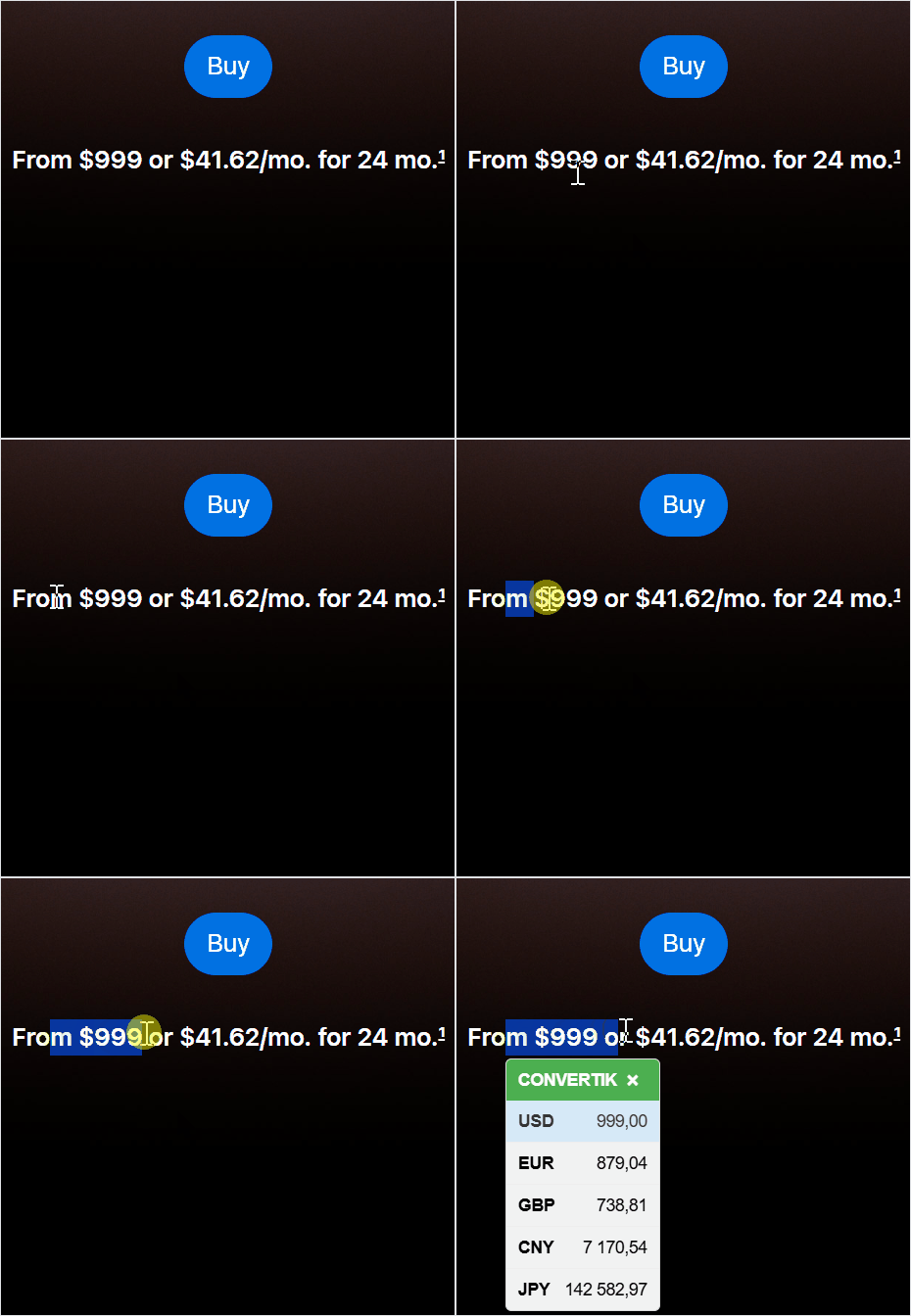
Via text selection: select an amount with currency on any page — a popup window will automatically appear with conversion to the currencies you have chosen. CONVERTIK will automatically determine where the amount is in the text and what currency is specified (there is a limitation on the length of selected text, the text length is sufficient for 99.99% of scenarios). If several amounts with currencies are found in a line, the first one will be used. CONVERTIK does not store data about visited pages, their content and conversion history.
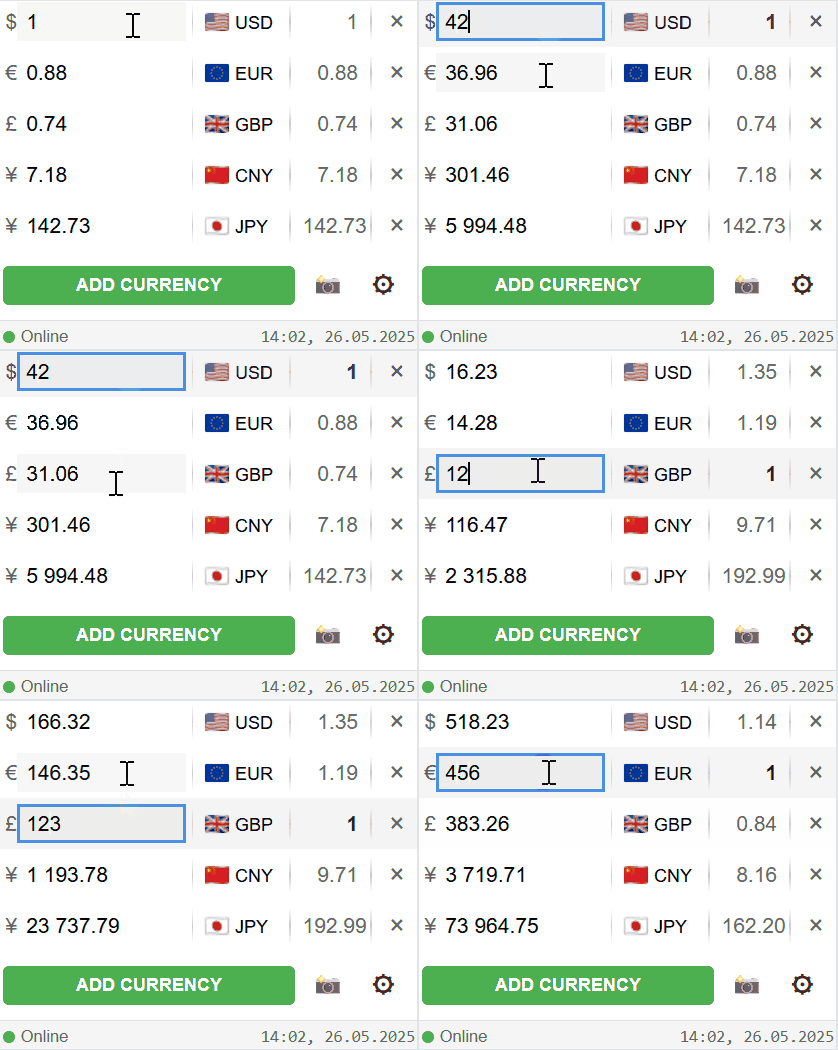
Via extension icon: click on the CONVERTIK icon in the browser panel to open the conversion interface. Here you can manually enter an amount, select currencies and set their order by simple dragging.
Right in this interface you can perform mathematical calculations like in a calculator, directly in the currency input field.
Install CONVERTIK Right Now
Mathematical Calculations Directly in the Input Field
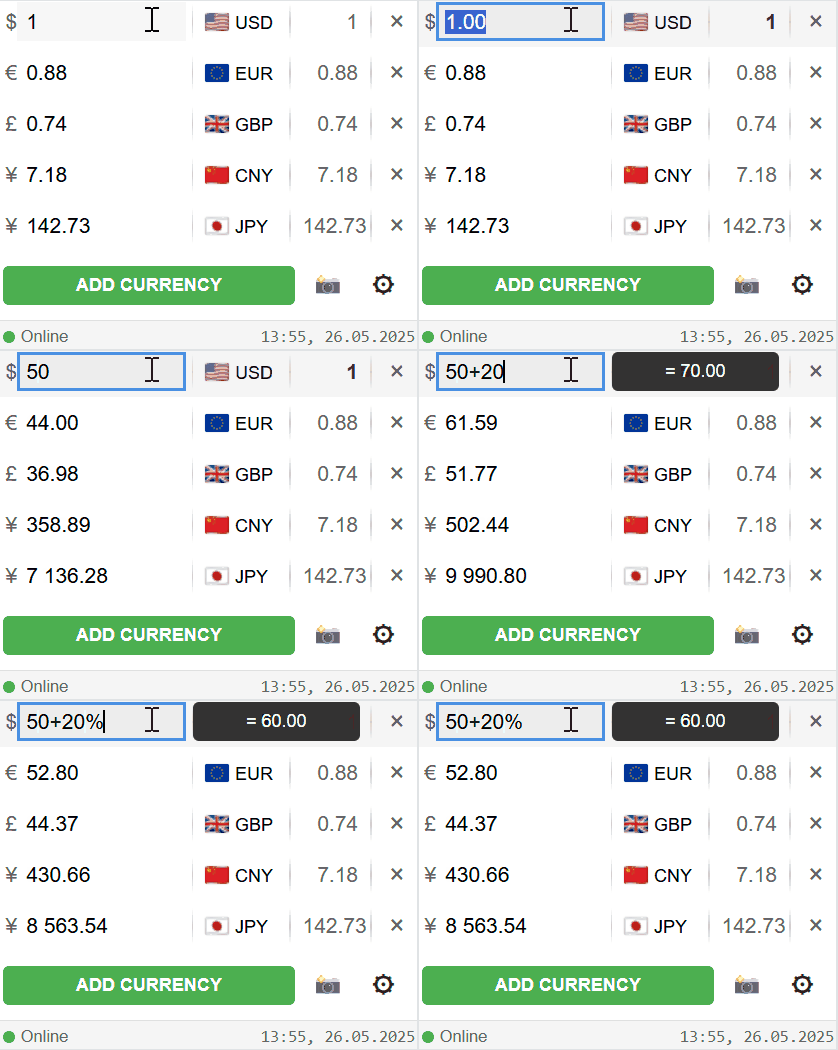
In the CONVERTIK extension, you can not only enter amounts, but also perform mathematical operations directly in the input field. The result is displayed instantly, as a popup hint. There are no restrictions on the number of operations in a line.
Both standard calculations (100+50-20) and percentage calculations (50+20%, which will give 60, since 20% of 50 is 10) are supported.
Currency Screenshot
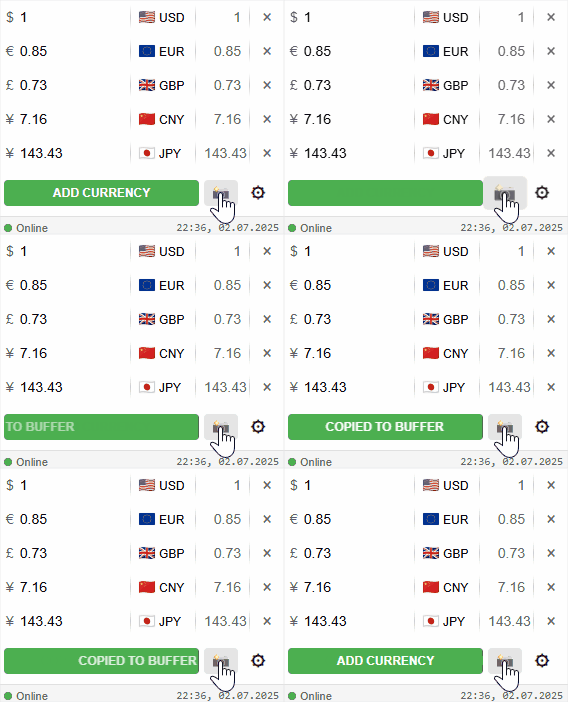
At any time you can take a screenshot of the currency calculation. When you click on the camera icon, the screenshot is copied to the clipboard and you can paste it with Ctrl+V, for example, in a messenger.
This is convenient when you need to quickly share a calculation of some amount in other currencies with colleagues or friends.
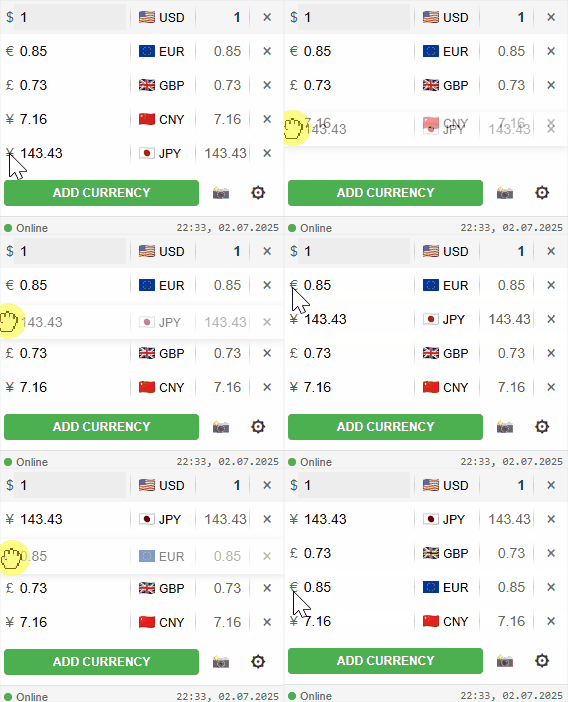
Changing Order by Simple Dragging
You can make a convenient currency order simply by dragging them to the right places. This same order will be in the popup hint when selecting an amount on the site.
Usage Example
The website shows: 1299 USD. Select the amount, and CONVERTIK will immediately show a popup window with equivalents, for example:
≈ 1200 EUR · 110 000 JPY
Install CONVERTIK Right Now